October is upon us again, so as usual it’s time to take stock of Decker’s progress over the past year, this time between releases 1.61 and 1.71:
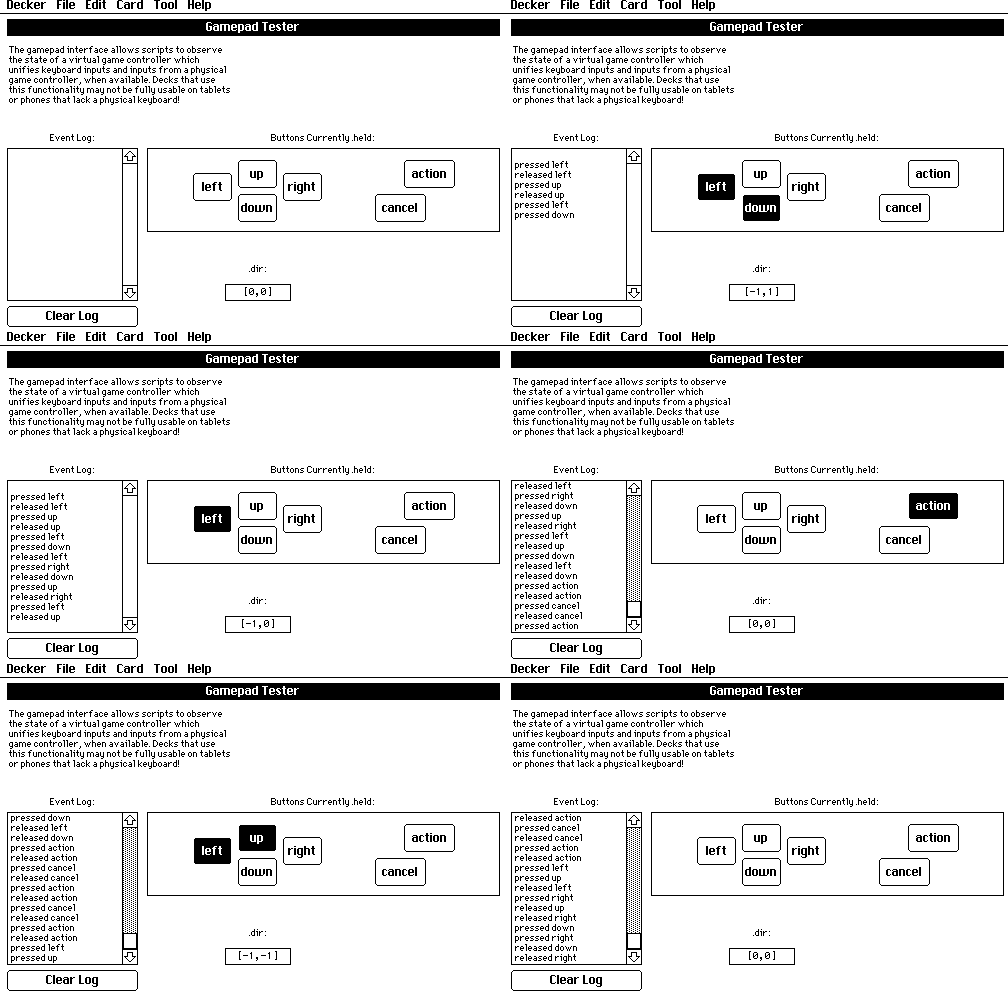
One of the most prominent new features introduced to Decker this year is support for gamepad input, with fallback to keyboard controls where available. Many Decker users are squarely interested in building video games, and gamepad brings arcade and action genres within reach:
There’s still significant room to build out more examples and libraries that demonstrate what’s possible with this functionality. For starters, the sokoban example is now playable with a gamepad or keyboard. The dialogizer module quietly upgrades any game that uses it to support keyboard controls for advancing dialog boxes and making choices in dialog trees. Dialogizer also takes advantage of the new app.cursor field to simulate the hover behavior of ordinary buttons while in “synchronous” scripts.
Another important enhancement requires no action on the part of users: better image compression. For the sake of simplicity, Decker originally relied upon simple bit-packing and run-length encoding when storing graphics, but datablock formats left room for introducing better codecs in the future. The new IMG3 image encoder shares the LZW-based innards of Decker’s GIF codec, and achieves a 2–4x improvement in overall filesize for many decks, especially those which make use of dithered color graphics. In situations where the new codec doesn’t perform any better than IMG0, IMG1, or IMG2, the old codecs are selected. E-Zine authors can now fit a heck of a lot more on a floppy disk.
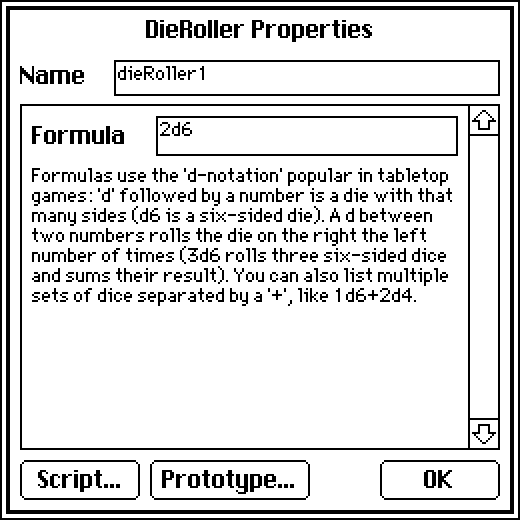
Decker’s contraptions are subtly more capable with the introduction of new “attribute types”, which control the custom UI for configuring contraption settings. These attributes can now be "data" or "note". A "data" attribute is displayed as and parsed from a field of LOVE, making it easier to expose structured values without needing to invent one-off textual formats for describing them. A "note" attribute displays an inline block of prose instead of offering an editor, providing more ways for contraptions to be self-documenting:
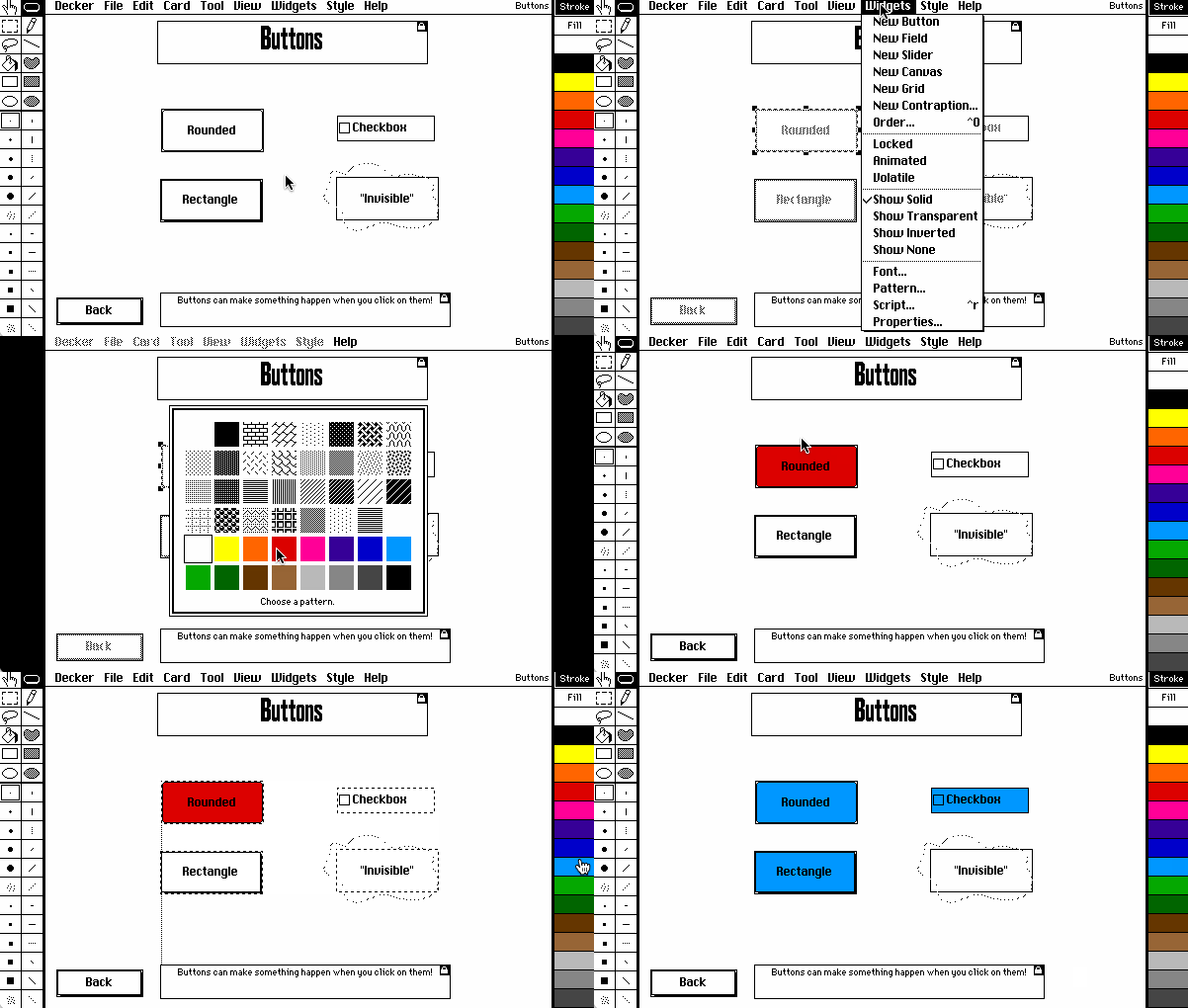
Support for color continues to expand and improve. All widgets now have a .pattern attribute that controls their appearance in combination with the existing .show and .font attributes. You can quickly alter the pattern of selected widgets via Widgets → Pattern… in the menu or simply clicking a pattern swatch on the right toolbar:
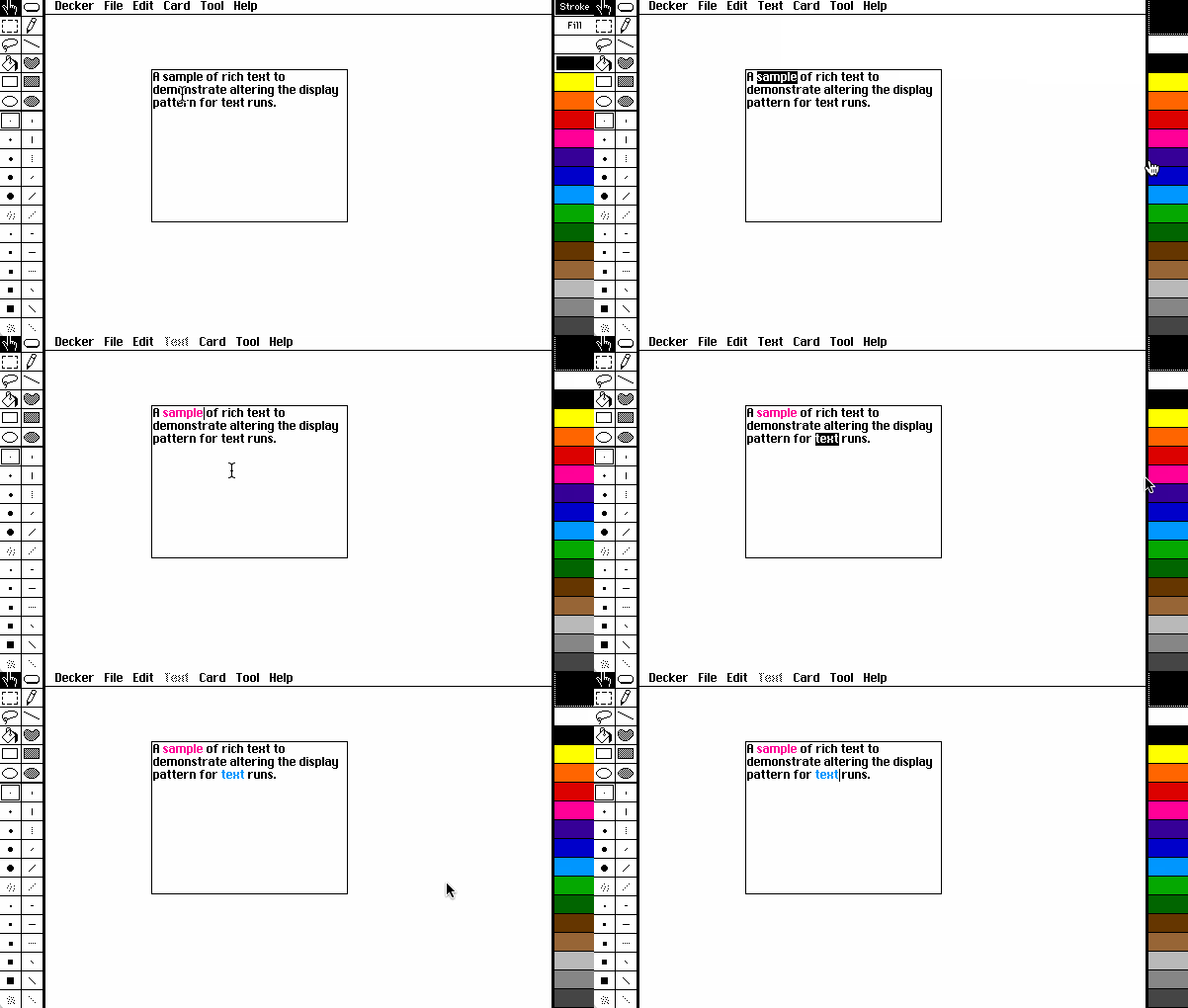
.pattern attribute of widgets.With rich text selected, you can now likewise use the right toolbar to quickly change the pattern or color of text:
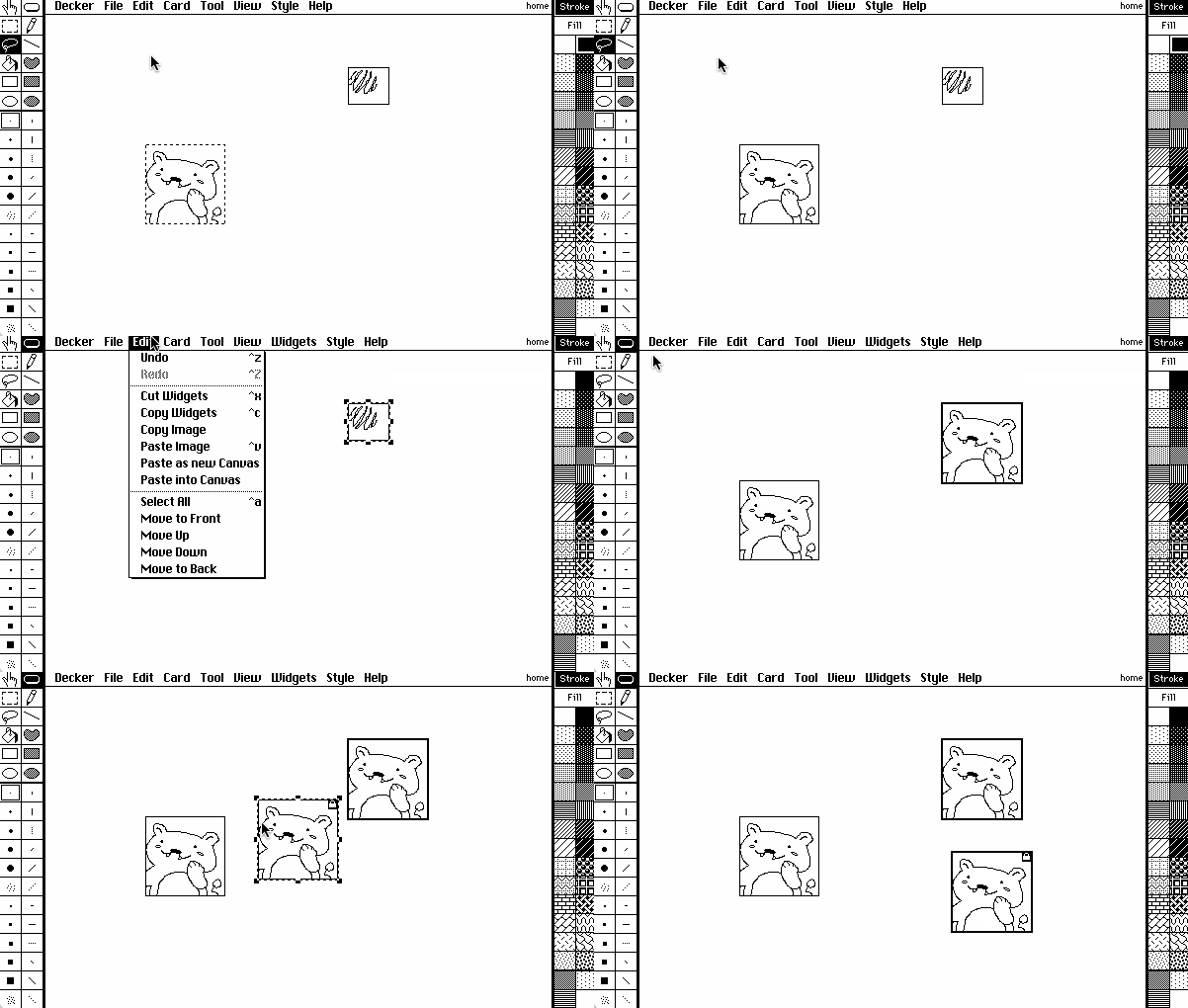
I’ve made many improvements to existing features to make authoring decks easier and more intuitive, too. For example, pasting images into scaled canvases now adjusts the dimensions of the “logical size” of the canvas, to avoid accidentally cropping the pasted image, and images in the clipboard can be pasted as new canvas widgets from any editor mode:
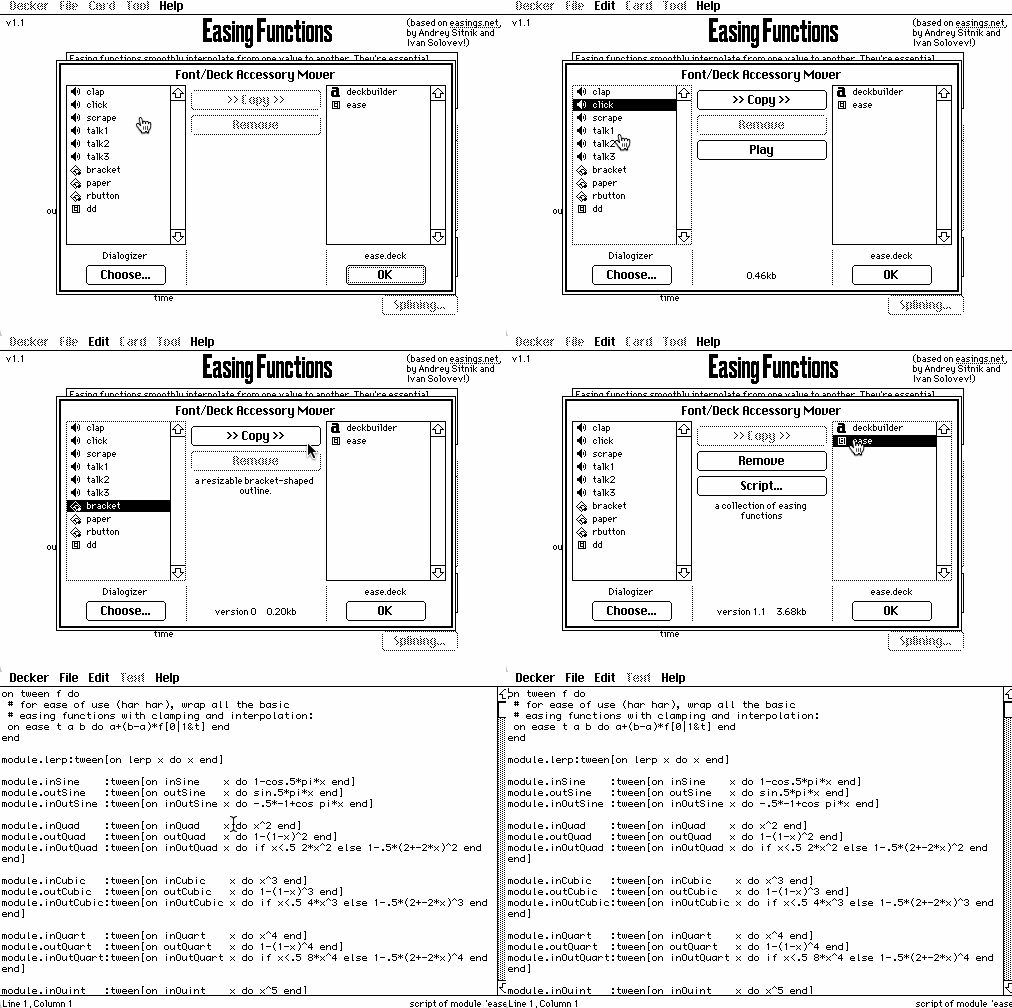
The Font/DA Mover displays more useful information about resources, including their contribution to the size of a deck on disk. You can now also access the scipt of Lil module from this dialog:
As usual, there have been a variety of additions to scripting APIs:
sys.z for obtaining the local time zone offset, and sys.ops, for measuring the work done by Lil’s bytecode interpreter.app.gridsize, app.penstroke, and app.penfill, for inspecting and modifying the state of Decker’s editing tools, app.kiosk for locking down Decker in display environments, and app.params for accessing URL parameters provided to Web-Decker.rtext.trim[] as a more general version of the new trim operator for rich text tables.sound.scale[] function can squash, stretch, and reverse waveforms with respect to time, and the read["sound" "samples"] overload can import large audio files as an Array of samples.image.transform["turn"] as a shortcut for rotating images 180 degrees, image.outline[] for adding a border along the edges of any opaque region of the image, and image.merge[] now supports XOR-compositing with the "^" operator.danger.open[], for instructing Decker to open a specific document, either by URL/path or by a Deck Interface, making it possible to build launchers or stitch together very large projects from multiple decks."f32l", "f32b", "f64l", or "f64b", for working with floating-point values, and the array.value attribute offers a convenient shortcut for converting an entire array into a primitive list or string.The evolution of Decker’s scripting language, Lil, continues to “cool down” toward stability, but there have been a few refinements and additions, starting with some corrections to the behavior of several operators:
The comparison operators < and > are overloaded to perform numeric comparisons when given a pair of numeric arguments, and to lexicographically compare a pair of strings. This is quite handy! When given values of mixed types, these operators originally “preferred” to interpret both arguments as if they were strings. In practice, this behavior lead to some extremely silly and confusing results for common situations, such as users storing a number in a field and accessing the field’s .text attribute (a string) instead of its .data attribute (which in this case would be numeric):
theField.text      # "23"
3 > theField.text  # 1
The < and > operators now instead “prefer” a numeric interpretation if either argument is numeric, consistent with the behavior of the | (maximum) and & (minimum) operators:
3 > "23"   # 0
30 > "23"  # 1
I also corrected a subtler flaw in the behavior of the table operator. This operator will examine the structure of its argument to coerce both list-of-dict and list-of-list data into a Lil table value. With the introduction of the nil value, it was helpful to adjust this coercion behavior, accepting nils in a list as empty lists, and nils in a list of dictionaries as empty dictionaries:
table "%j" parse "[[11,22],null,['a','b']]"
# +-----+-----+
# | c0  | c1  |
# +-----+-----+
# | 11  | 22  |
# | nil | nil |
# | "a" | "b" |
# +-----+-----+

table "%j" parse "[{'a':11},null,{'a':22}]"
# +-----+
# | a   |
# +-----+
# | 11  |
# | nil |
# | 22  |
# +-----+
Finally, I made some adjustments to the raze operator, which is responsible for reducing lists as if through repeated applications of the , operator. The base cases of raze would originally collapse single-element values into atoms, and the revised behavior keeps them lists, for better internal consistency:
raze list 23  # was 23        now is (23)
raze 23       # was 23        now is (23)
raze "AB"     # was ("A","B") now is ("AB")
Lil gained four new monadic operators to simplify common idioms: trim, ceil, rev, and distinct.
The trim operator removes leading and/or trailing whitespace from a string. It can conform across a whole list for cleaning up entire columns of input:
trim "  ab c\n"      # "ab c"
trim (" a"," b")     # ("a","b")
The ceil (ceiling) operator rounds numbers up, a counterpart to floor. This also conforms:
ceil (0.1,2.5,37.9) # (1,3,38)
The rev operator reverses the order of elements a string, list, or dict; this is like |: in K:
rev "abc"            # "cba"
rev (11,22,33)       # (33,22,11)
rev "abc"dict"def"   # {"d":"a","e":"b","f":"c"}
The distinct operator extracts the non-duplicate elements from a string, list, dict, or table; this is like ?: in K:
distinct "cabba"     # "cab"
distinct (2,1,3,2,1) # (2,1,3)
The trim operator avoids unnecessary internal string copies when used to trim prefixes- as in many parsers- and distinct uses internal hashsets much like in. Used appropriately, the new operators can have a dramatic positive impact on performance. Benchmarking practical code also revealed some simple ways to make while loops slightly more efficient and improve the performance of unions and amends of dictionaries.
The Bits interface was extended with .decode[] and .encode[] operations for breaking down numbers into lists of binary digits (which we can readily manipulate with Lil’s conforming arithmetic operators) or repacking binary digits into numbers, respectively. This helps handle a number of common data-preparation tasks which previously required explicit loops:
bytes:112,112,32,112,168,32,80,80
i:image[8,count bytes]
i.pixels:bits.decode[8 bytes]

i.pixels
# ((0,1,1,1,0,0,0,0),
#  (0,1,1,1,0,0,0,0),
#  (0,0,1,0,0,0,0,0),
#  (0,1,1,1,0,0,0,0),
#  (1,0,1,0,1,0,0,0),
#  (0,0,1,0,0,0,0,0),
#  (0,1,0,1,0,0,0,0),
#  (0,1,0,1,0,0,0,0))

bits.encode[8 i.pixels]
# (112,112,32,112,168,32,80,80)
Another tool for squeezing extra performance from Lil is the newly generalized KeyStore Interface. Originally designed as a means for modules to serialize persistent data, KeyStores can now also be freely constructed with the keystore[] function and used as general-purpose mutable “dictionary-builders” whenever it is undesirable to construct an entire dictionary value at once with dict. This kind of generalization helps Lil’s concise standard library pack more punch!
# a generalized breadth-first search routine,
# using a KeyStore for tracking state predecessors:

on bfs successors start do
 local pred:keystore[]
 local todo:list start
 while count todo
  local here:first todo
  todo:1 drop todo
  each there in successors[here]
   if nil~pred[there]
    pred[there]:here
    todo:todo,list there
   end
  end
 end
 pred
end
There have been many interesting and exciting developments across the Decker ecosystem this year.
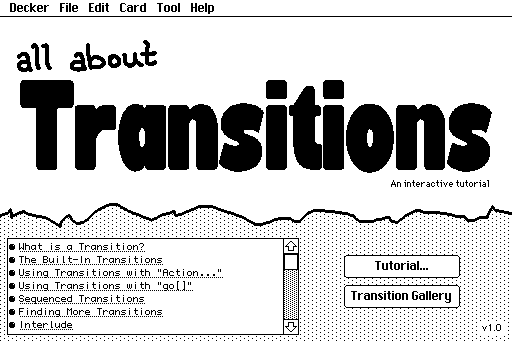
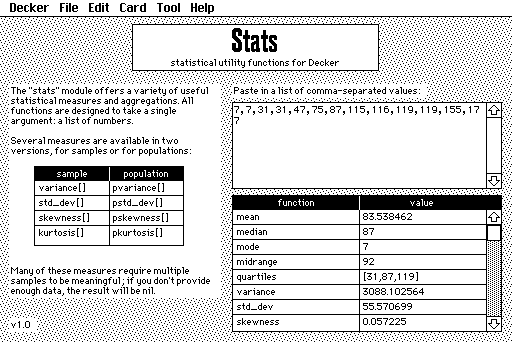
Decker ships with five handy new example decks:
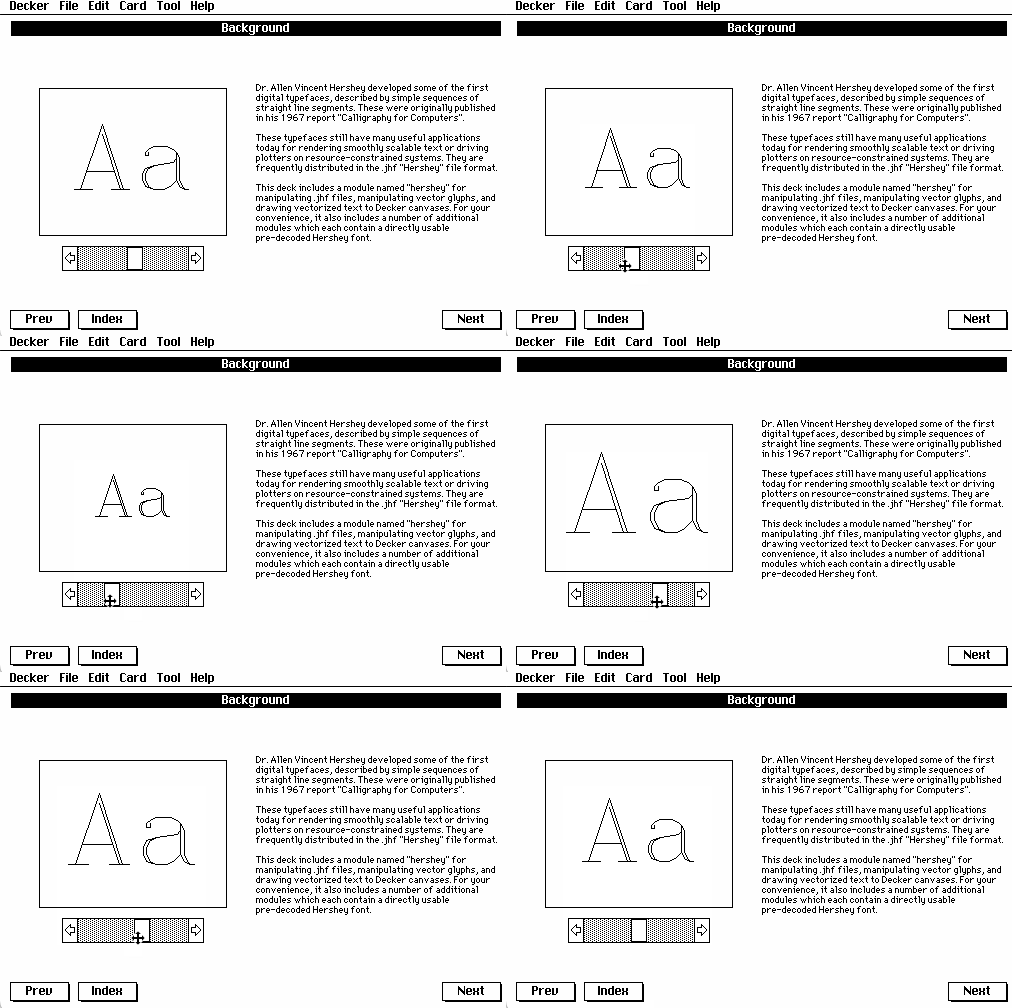
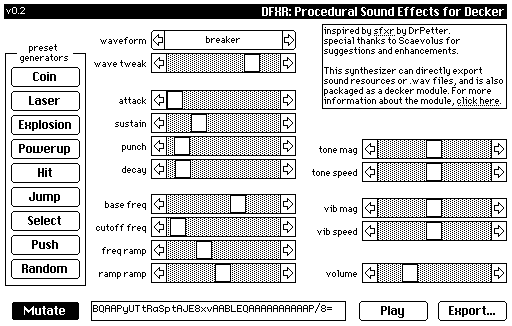
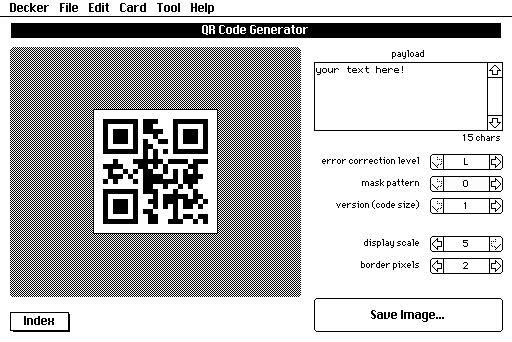
In addition to the official Deck-Month 3 and Decker Fantasy Camp 2026 jams, Decker users have organized a number of additional fun events:
As I write this, jams have collectively resulted in over 113 new decks published on itch.io alone. Last year I counted 213 games on itch.io tagged with #decker. Today that’s up to 353, or 474 if we count other categories like books and comics! Let’s take a look at some of the things people have published, shall we?
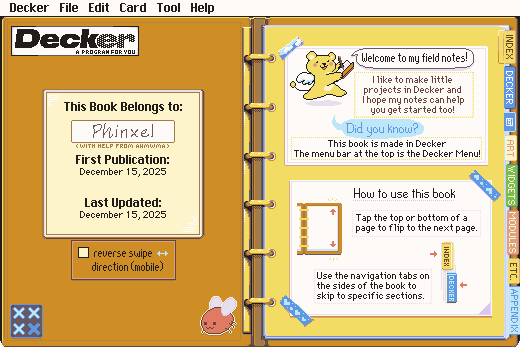
By far the most delightful release was Phinxel’s Phield Notes, a stunning, beginner-friendly multimedia guide to making stuff with Decker that Ahmwma has been laboring over since the release of Riddle of the Temple. Everyone with even the mildest interest in Decker should check it out- it has a wealth of demonstrations of what Decker can do, and every page is packed with wonderful pixel art:
Screwtapello built a font importer utility that can adapt a variety of pre-existing bitmap font formats to work with Decker. This is a great example of building tools for Decker with Decker:
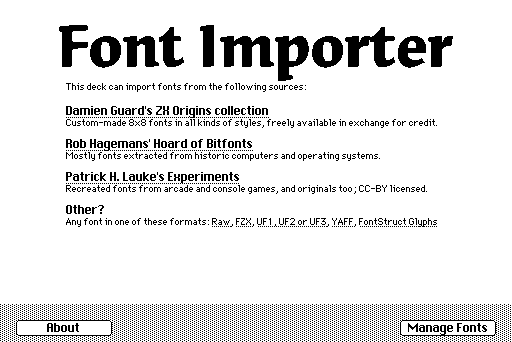
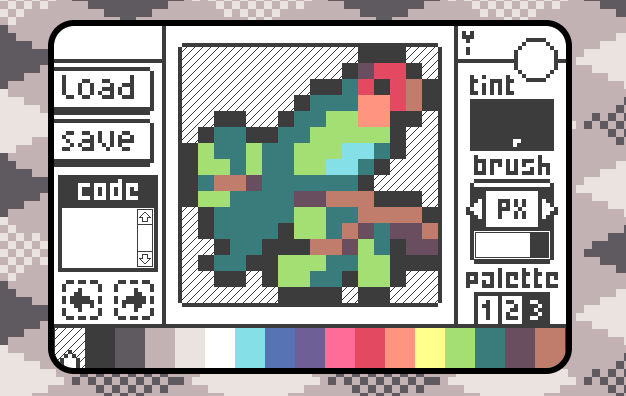
.fzx, .uf1, .uf2, .uf3, .yaff fonts and more!Missooni published many handy contraptions and a variety of small art and journaling tools, including the adorable minart, a drawing tool specialized for creating 16x16 icons:
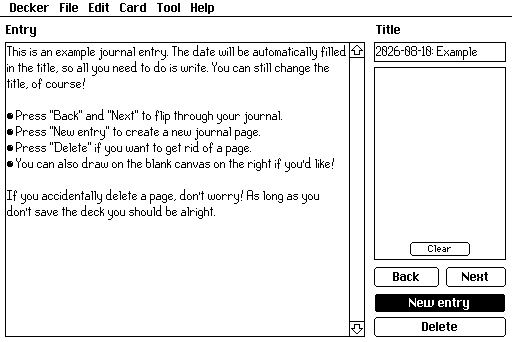
Following this trend of tools, I’d also like to highlight Durian’s a bunch of decker tools, which is pretty much what it says on the tin: a collection of small utilities you can run in Decker. I love seeing practical, personal programs built with Decker:
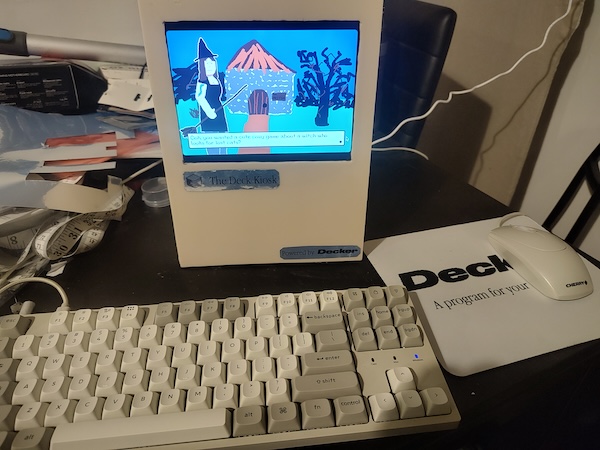
Millie has been regularly publishing zines since shortly after Decker’s original release. If you’d like a convenient way to peruse her recently concluded EX series, check out the Zine of Millie EX Compilation! It’s just the thing for your Deck Kiosk:
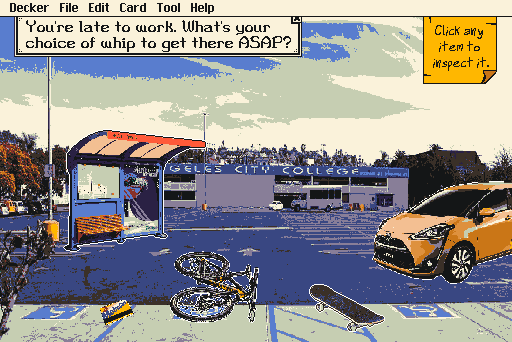
Salty P. Slug’s What 2000s Skate Video Are You? is an intricately-researched, lovingly-crafted personality quiz jam-packed with authentic vintage 2000s lore and iconography. Feel old yet?
Speaking of crumbling into dust, I was quite struck by Dogpink’s Bonelust (Note content warnings; probably Not-Work-Safe!), a first-time Decker creation for the 2026 Toxic Yuri VN Jam. The subject matter won’t be everyone’s cup of tea, but the writing is crisp and the art and sound design are chillingly evocative:
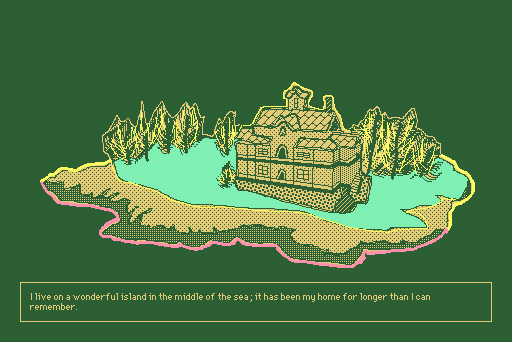
Last but not least, congratulations to Harlequin Diver on the release of The Dreams in the Peacock House, a hybrid point-and-click / parser-driven work of interactive fiction and the first Decker-based game published on Steam! It’s truly a tour-de-force of the range of experiences you can build with Decker, and well worth a few hours to play through:
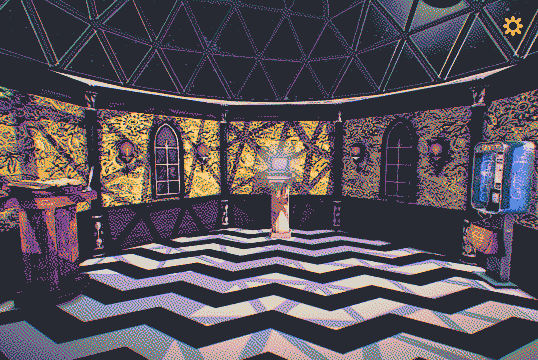
This list has only scratched the surface of all the wonderful, creative projects that Decker users have built this year. There’s much more to discover. Why not go perusing on itch and see what else you find?
Over the past few years, creative communities across the web have been wracked by a series of deeply disturbing supply-chain attacks: critical pieces of the digital infrastucture we all use- even free and open-source software- have been infested by the excretions of so-called “generative ai” tools. I believe that these tools are profoundly harmful and disrespectful to creative expression, human collaboration, and education, among many other negative externalities. Creative people- including programmers, writers, visual artists, and game designers- should not feel that they are forced to accept slop in order to practice their craft. They should not need to worry that the platforms their projects build on will rot out from under them.
Decker is made by and for humans. Decker has never been developed by or with the aid of any form of LLM or “genai” tool. I have no intention of using them at any point in the future. Decker’s primary external dependency is SDL, which has a firm anti-LLM contribution policy, and I will do my best to avoid or gradually replace any dependencies which incorporate slop in the future. Slop-free browsers and operating systems pose a larger challenge, but Native-Decker does support netBSD and Haiku.
The creative labor of humans built our online world. If we’re forced to do so, we can build a new one, piece by piece.
If Decker sounds interesting to you, consider joining us on the Decker Community Forum! Your help spreading the word about Decker and enriching the Decker ecosystem can have a big impact on other people’s creative projects. There’s also a Decker resource index available with lots of fonts and other goodies!
The next official Decker jam, Deck-Month the fourth, is planned for December 2026. Depending on when you’re reading this, you may still have a slim window to participate in The Decker VN Jam. There’s also an in-person Decker jam planned for October 24th, if you happen to be in the Rochester area. I’d love to hear how it goes!
Build something that makes you happy.